AI-SPM was built for models. Your risk is now agents.
AI Security Posture Management is the continuous discovery, assessment and remediation of risk across enterprise AI assets. Most of it was designed when an AI asset was a model in a pipeline — something you scan. An agent plans, calls tools, holds an identity, delegates to other agents and acts on data. Posture for an agent has to answer what it can do, not only what it is.
Govern360 is AI-SPM for that estate, read-only, with enforcement verified by read-back rather than asserted.
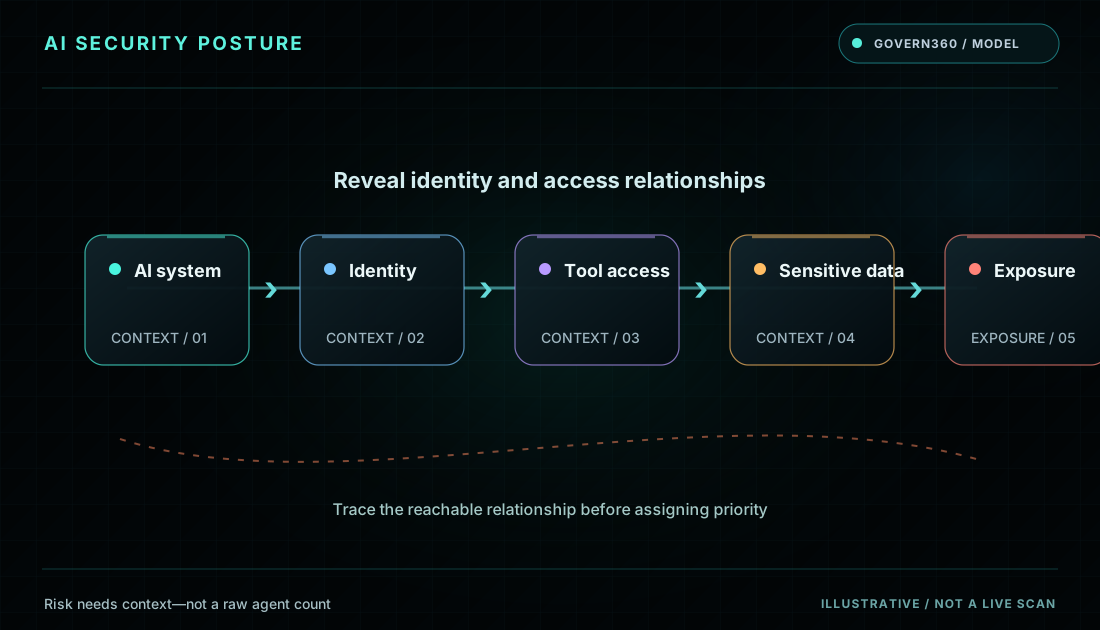
See where exposure forms
Connect AI security posture to the agent interactions that create exposure.
- 01 / AI agent Identify the relevant signal and its source.
- 02 / External path Add access, ownership and operating context.
- 03 / Review finding Review the state and retain the evidence.
What AI-SPM covers
The category settled on a consistent set of capabilities, and most vendor guides list the same five:
- AI asset discovery — finding the models, pipelines, agents and services running in the estate, including the ones nobody registered
- Pipeline and dependency mapping — what feeds what, and which data reaches which system
- Misconfiguration detection — permissions, exposure, weak or absent controls
- Risk prioritisation — ranking findings so a team knows what to do first
- Continuous monitoring — posture that changes as the estate changes, rather than a point-in-time audit
Why it exists at all. Conventional security tooling does not see AI assets. A CSPM sees a virtual machine; it does not see a Copilot Studio agent with a SharePoint connector running under a service principal nobody reviewed. AI-SPM exists to close that gap, and it is converging with DSPM and CNAPP as the market consolidates.
Where AI-SPM falls short on an agent estate
A model is a static asset. An agent is a participant. Four things change, and most posture tooling was not designed for any of them.
| Question | True of a model | True of an agent |
|---|---|---|
| What is it? | A versioned artefact you can scan | A configuration that changes without a release |
| What can it do? | Return an inference | Call tools, write to systems, send data outward, delegate to other agents |
| Who is it? | Runs under the calling application | Holds its own identity, often with no owner and no rotation |
| Who approved it? | A deployment pipeline | Frequently nobody — built in-tenant by a person who may have left |
The failure mode this produces. Posture tooling reports an estate as healthy because every model it can see is configured correctly, while the actual exposure sits in an agent that was never a model: a Copilot Studio flow with a connector to a finance site, running under a service principal created eighteen months ago, with no declared purpose and nobody accountable. Nothing in that sentence is a misconfiguration. It is a governance gap, and it does not show up on a posture scan built for pipelines.
AI-SPM, AI TRiSM, AI-BOM and CSPM — what is what
The acronyms overlap and the vendors do not agree, so here is the plain version.
AI TRiSM
Gartner’s AI Trust, Risk and Security Management framework, introduced in 2022. Broad: explainability, bias, model operations, privacy, security. A team told to “implement AI TRiSM” usually buys AI-SPM for the security and posture parts of it.
AI-SPM
The posture layer inside that framework. Discovery, configuration, permissions, monitoring. Narrower and more operational — this is the thing you buy and run.
AI-BOM
A bill of materials per AI system: models, versions, data sources, dependencies. Govern360 emits CycloneDX 1.6 per agent with nightly snapshots so supply-chain drift is detectable against a previous state.
CSPM / CNAPP
Cloud posture. Sees infrastructure, not AI assets. Increasingly bundles AI-SPM as a module, which is convenient if your AI lives in one cloud and insufficient if it lives in Microsoft 365.
DSPM
Data posture. Answers where sensitive data lives. Needed to answer what an agent can reach, but does not itself know an agent exists.
AI Exposure Management
Where Govern360 sits: posture plus ownership, plus the compiled control, plus the evidence that it was applied. Posture tells you the state. Exposure management tells you what to do and proves it was done.
How Govern360 measures posture
Read-only from the first minute. One consent-scoped, revocable administrator grant. Nothing installed, no traffic proxied, no blanket write access held at any point.
1. Discover
Agents, models, connectors, OAuth grants, non-human identities and shadow tools across the sources you connect — Microsoft 365 and Copilot Studio, Power Platform, Entra, Purview, Intune, the major clouds and connected AI services. Coverage is reported as a fraction of configured sources, and any surface that returned nothing is marked not measured rather than scored zero.
2. Resolve ownership
Every agent is resolved against a business owner, a technical owner and a team, and checked against the directory. Where the creator is disabled or gone and nobody inherited it, the agent is surfaced by name with its autonomy tier. OWASP names improper offboarding the leading non-human identity risk, and it is the finding customers act on fastest.
3. Map what it can do
Autonomy tier, tool grants and consent state, the classified stores the identity can reach, and the paths that run from ingesting untrusted content to sending data outside the estate. These are capability paths read from configuration, not observed traffic, and the product says so on the panel.
4. Score
One explainable 0–100 AI Exposure Score across five dimensions — Discover, Govern, Protect, Control, Prove — as a weighted geometric mean, so a single weak dimension is not offsettable by a strong one. Unmeasured dimensions are excluded rather than scored zero, and the band is capped by the weakest measured dimension.
5. Compile, then verify
Governance intent compiles into the enforcement planes you already own. Govern360 is the policy decision point in the NIST SP 800-207 sense; Purview, Intune, SASE and your gateway are the enforcement point. Where a plane exposes a read path, the applied state is read back and reported as verified. Where it does not, the control is reported as compiled or marked applied — three different states, labelled, never collapsed into a green tick.
What this does not measure
Every posture tool has a boundary. Most do not publish theirs.
- Memory poisoning — corruption of an agent’s persistent memory needs runtime inspection of the agent loop, which a read-only management-API integration does not perform.
- Trajectory assurance — whether a multi-step plan stayed within intent needs per-step execution traces.
- MCP runtime integrity — Govern360 reads MCP manifests and tool grants. It does not inspect calls as they happen.
- Model-internal behaviour — weights, fine-tuning artefacts and inference-time reasoning are outside what configuration can show.
These are named on the product surface as well as here, because a surface reported as clean when it was never examined is worse than one reported as unknown. If a vendor’s posture dashboard has no category for not measured, ask what happens when a connector fails.
Choosing an AI-SPM tool
Six questions that separate tools quickly, whoever you are evaluating.
- Does it see agents, or only models? Ask for the count of agents built in-tenant versus vendor templates. A tool that cannot separate those is counting shipped features as your estate.
- Does it resolve ownership? Not “has an owner field” — does it tell you which agents have nobody accountable, and propose a name with its source.
- Does it sit in the traffic path? A proxy is a latency budget, a failure mode and a change window. Ask what breaks when it is unavailable.
- Does it verify enforcement or assert it? Ask which controls are read back from the platform and which are simply marked done.
- What does it do when it cannot see something? If unmeasured renders as zero or as green, every report you receive is unreliable in a way you cannot detect.
- Can you replay a number? Ask it to show the configuration a finding was read from, and the rule that produced an allocation.